USB Charging Risks: Is Juice Jacking Real?
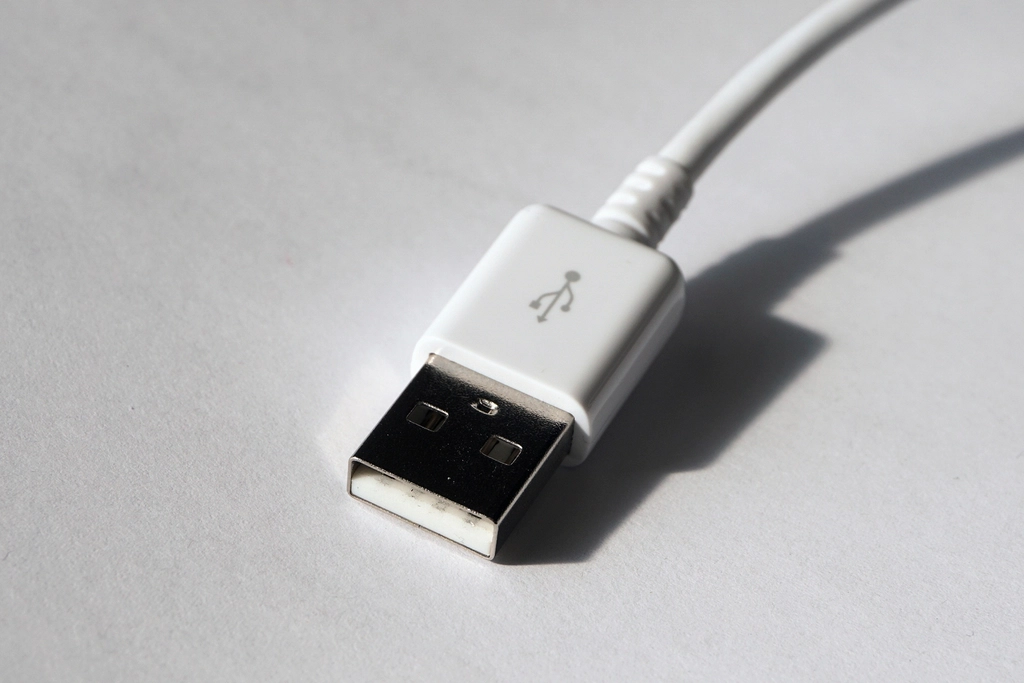
Juice jacking is the idea that a public USB port or a rigged cable can steal data or install malware while your phone charges. Documented real-world cases are rare, but the risk is not zero, and avoiding it costs almost nothing: carry your own charger and cable, or use a power-only adapter.
What juice jacking means
A USB cable carries both power and data. When you plug a phone into a charging station, the port may offer a data connection as well as power. In theory, a malicious port could try to read files or push software to the phone. Modern phones ask you to confirm a data connection, and operating systems have tightened defenses, which is why attacks of this kind are uncommon.
Even so, security professionals advise caution, because the trade-off is so lopsided. A small habit change removes a risk that could otherwise be serious.
Where the real risks are
- Unknown public ports at airports, hotels, cafes and shared spaces, where you cannot verify who controls them.
- Unfamiliar cables that you did not buy yourself, including cables given away or left lying around. Some are designed to contain extra hardware.
- Unknown USB drives that you find or are given. Plugging a stick into a computer can run malicious code on some systems.
- Cheap, uncertified chargers which can be a fire or electrical hazard even without any data risk.
How to charge safely
- Use your own wall charger and cable plugged into an ordinary power outlet. This is the safest option.
- Carry a power bank so you do not need public ports.
- Use a power-only cable or a data blocker, sometimes called a USB condom, which physically disconnects the data pins.
- Decline the data connection prompt. If your phone asks to trust this computer or allow file transfer, choose to charge only.
- Keep the phone locked while it charges, since a locked phone restricts data connections.
- Buy certified accessories from reputable sellers rather than anonymous bargains.
Unknown USB drives and devices
Dropping a USB stick in a car park and waiting for someone to plug it in is an old trick. The drive may pretend to be a keyboard and type commands, or it may contain malicious files. Do not use drives you find. If you must inspect an unknown drive, use a separate, isolated computer, or better, simply discard it.
Also be careful with unknown peripherals such as free cables, charging cases or promotional gadgets. If you receive a device that looks like a harmless accessory but connects through USB, treat it as unverified.
Computers and USB ports
Computers face the same issue in a different form. Disable auto-run features so files do not execute automatically. Keep the operating system updated, since fixes for USB-related flaws are included in updates. On shared machines, use a standard account, and scan removable media before opening files. Some organizations disable USB storage altogether for devices that handle sensitive data, which is a reasonable policy for higher-risk settings.
Wireless charging and car ports
Wireless charging does not carry data in the same way, so it avoids the juice jacking problem, though you should still use a reputable charger. In a car, USB ports may connect to the infotainment system, which can sync contacts and messages. If you plug in a phone in a rental or borrowed car, choose the option to charge only, and remove your information from the car’s system when you return it.
On long trips, the combination of a personal charger, a spare cable and a small power bank covers nearly every situation without exposing you to unknown ports.
Do not overreact
It is worth keeping the risk in proportion. Most people charging at an airport will never encounter an attack. The aim is not fear but a cheap, easy habit. Compared with phishing, weak passwords and unpatched software, USB risk is small, so spend your effort there first and add safe charging as a convenient extra.
What to do if you think you plugged into something suspicious
If you notice unexpected prompts, a sudden change in behavior or an unfamiliar profile or app after using a public port, disconnect and restart the phone. Review recently installed apps and permissions, and remove anything you did not install. Update the operating system, run a scan if your device offers one, and change important passwords from a different, trusted device.
If the phone handles sensitive work or financial data, consider backing up and performing a factory reset. It is inconvenient, but it removes doubt. Report the incident to your employer if it was a work device.
Safe habits for travelers
Pack a compact charging kit: a wall adapter, a short cable, a spare cable and a power bank. Charge before you leave, and keep your phone locked while charging. In hotel rooms, prefer wall outlets to built-in USB ports. If you must use a shared computer’s USB port, charge only and do not accept any trust prompts. In a pinch, a power-only cable costs little and can live permanently in your bag.
Frequently asked questions
Has juice jacking really happened?
Demonstrations by researchers exist, but confirmed widespread attacks are rare. Because the precaution is easy, it is still recommended.
Is a power bank safe?
A reputable power bank used with your own cable is safe, and it removes the need for public ports.
What is a USB data blocker?
A small adapter that connects only the power lines, so a data connection cannot be established through a port.
Key takeaways
- Use your own charger, cable and power bank when possible.
- Choose charge only if your phone asks about data access.
- Never plug in found USB drives or unknown cables.
- Keep the risk in perspective and prioritize updates and strong accounts.